How Damaruka works
Give Damaruka your website and it drafts what to tell your callers in about 20 seconds. Call it yourself with 30 free test minutes, connect your Google Calendar, then choose a plan, get a phone number and forward your line.
Day one. The office opens at nine.
Day one
From coffee to answering, in half an hour
- 01 · 8:30 AM
Give Damaruka your website
Damaruka reads it and drafts what to tell callers: your address, hours, services and the questions people ask, in about 20 seconds. No website? Fill the details in yourself.
- 02 · 8:32 AM
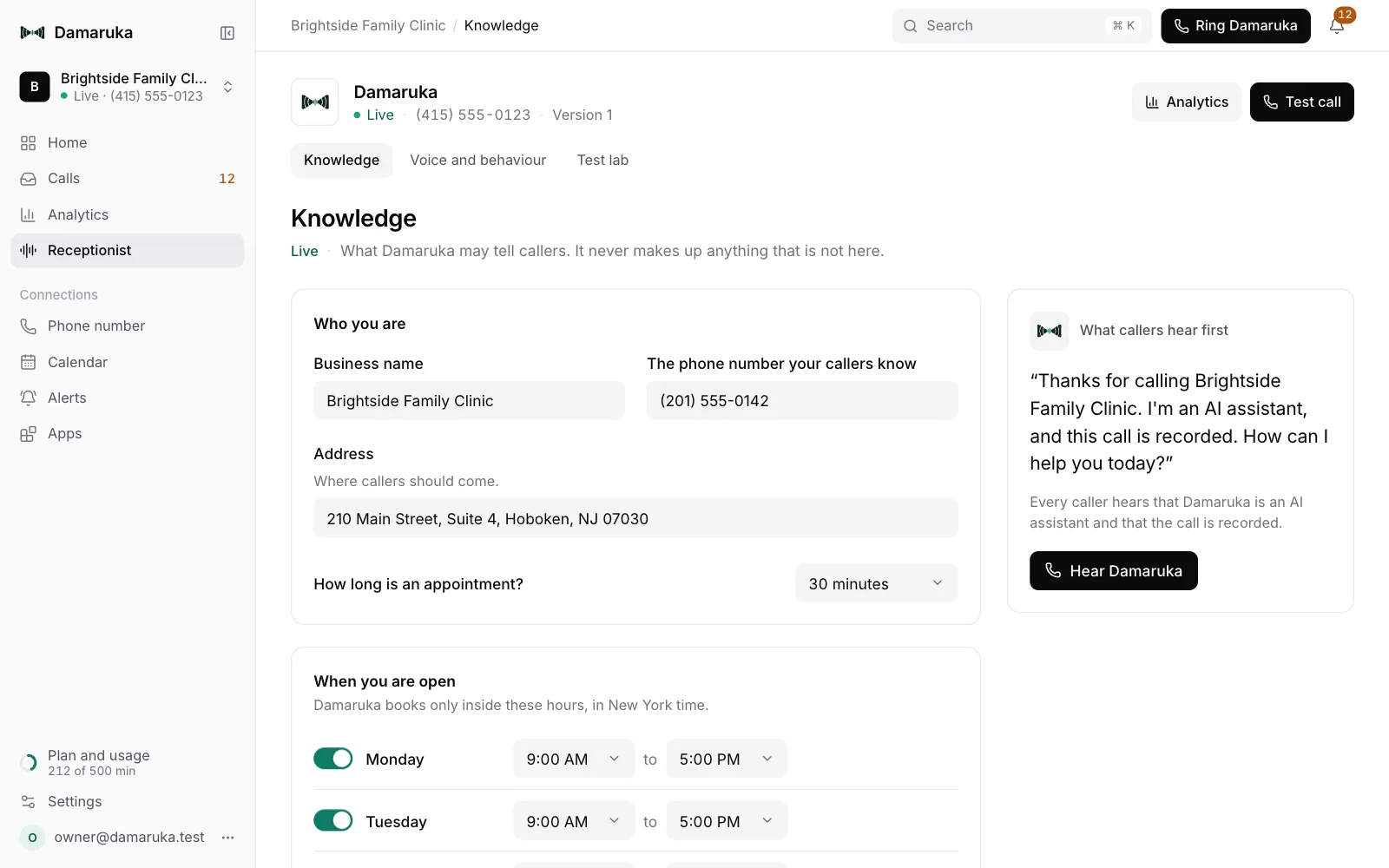
Check what it learned
Anything Damaruka was not sure of is marked for you to look at. Change any word; it never says anything that is not there, and every version is kept.
- 03 · 8:40 AM
Call it yourself
Talk to Damaruka in your browser the way a caller would, with a checklist that ticks itself. Your first 30 minutes of test calls are free, and you need no card.
- 04 · 8:50 AM
Connect your calendar
Connect Google Calendar and Damaruka books inside your opening hours, only at times you are free. Without a calendar it takes messages instead.
- 05 · 9:00 AM
Go live
Choose a plan and Damaruka gets its own phone number. Give it to callers, or forward your office line to it.
- 06 · 7:30 AM
The next morning
Every call is in Damaruka with what happened, the recording and the transcript, and what needs you is at the top.
The console
Every call, and what needs you first

What needs you, first
Messages, urgent calls and new clients nobody has marked done, with a Call back on each.
Each call beside the list
Its summary, the recording with who spoke when, the transcript, your notes and labels.
Shaped by your office
Your numbers, your columns, saved views, search, filters and export to a spreadsheet.
Your week, at a glance
Home opens on the calls answered, booked and taken after hours, how each call ended, and where your callers are. Pick 7, 30 or 90 days, and keep test calls out of the numbers.

Step by step
The owner's app, step by step
Hear Damaruka answer your calls
Give it your website, call it yourself, and forward your line when you are happy with it.